Writing
- An Email-to-Input Pipeline with Claude Code — February 2026
- Constipated Altruism — February 2026
- LLM code de-cruftification — February 2026
- Option (⌥) + Shift (⇧) + 2 = € — February 2026
- Uniqlo cycling base layer — February 2026
I consume a lot of podcasts, books, movies, and articles. Keeping track of them was always a friction point — enough friction that I mostly didn't bother, which meant losing references I wanted to revisit later.
So I built a simple pipeline: email a URL to myself, and a Claude Code skill turns it into a structured note.
How it works
The system has two parts: a Python script that fetches URLs from Gmail, and a Claude Code skill that processes each one.
1. Send an email. I forward or compose an email to a dedicated Gmail +inputs address. The body contains the URL. That's it.
2. The email subject controls metadata. The subject line is a simple flag system:
- Empty — not finished, not recommended
F— finished consuming itR— recommended but not finishedFR— finished and recommended
If the subject is F or FR, the finish date is automatically set to when the email was sent.
3. Run /input-batch. A Claude Code slash command triggers the pipeline. It connects to Gmail via IMAP, pulls unread emails from the +inputs address, extracts URLs, and deletes the processed emails.
4. Auto-detect and fetch metadata. Each URL is categorized by domain — Apple Podcasts becomes a podcast entry, Goodreads becomes a book, IMDB becomes a movie, and so on. Claude then fetches the page and extracts structured metadata: title, creator, duration, release date, cover art, and whatever else is relevant to the category.
5. Generate a summary. Each input gets a 2-4 sentence summary with key concepts bolded.
6. Create a markdown file. The note is written to my Obsidian vault as a markdown file with structured frontmatter — ready to be rendered on my website or queried later.
7. Commit and push. The content repo is automatically committed and pushed to GitHub, which triggers a site rebuild.
Handling NotebookLM
One edge case: I use NotebookLM to generate podcast-style audio summaries of papers and essays. These URLs require Google auth, so Claude can't fetch them directly.
The workaround: I attach a screenshot of the NotebookLM summary page to the email. Claude reads the image to extract the title, author, and publication date, then searches the web for any missing metadata.
Why email?
Email is the universal "share to" target. Every app on my phone can share a link via email. No special app needed, no API to configure, no bookmarklet to maintain. The subject line flag system (F, R, FR) adds just enough metadata without any real friction.
The whole thing takes about 5 seconds per input on my end. Everything else is automated.
The stack
- Gmail — inbox as a queue (IMAP access via Python)
- Claude Code — slash command skill for orchestration, metadata extraction, and summary generation
- Obsidian — markdown files with YAML frontmatter
- GitHub — content repo that triggers site deploys
While reading a recent Adam Mastroianni post I came across a term/concept that struck a chord: Constipated altruism.
The phrase is used to describe what seems to be a common failure mode:
You want to help.
You care.
But you don’t actually do anything.
Not because you’re selfish.
Because you’ve unconsciously decided that only huge or heroic actions “count.”
So unless you:
- donate a life-changing amount of money,
- switch careers to work full-time on a cause,
- or launch something world-saving,
…you do nothing.
The altruistic impulse has nowhere to go.
It just sits there.
Hence: constipated.
The trap
The hidden assumption is that impact must be either:
- High-status — become rich/powerful first, then fix things
- High-sacrifice — give up comfort, stability, or your career
Everything else feels trivial, performative, or not worth doing.
But that framing quietly eliminates 95% of the actions that actually move the world.
Most change comes from:
- small, repeatable help
- local improvements
- medium-scale efforts
- connecting people
- building tools
- sharing knowledge
- removing friction
- being the “second-bravest person” who supports someone else’s initiative
In other words: boring, doable help.
Why this idea matters
This framing removes guilt and replaces it with agency.
Instead of:
“This problem is too big, so nothing I do matters.”
It becomes:
“What’s the smallest concrete thing I could do today that slightly improves this?”
That question is almost always answerable. An altruism action "laxative" of sorts? And once you allow small actions to count, action becomes easy again. Momentum beats moral purity.
A simple heuristic I’m keeping
When I notice myself “caring but not acting,” I try:
Lower the bar until action feels trivial. Then do that.
Tiny counts.
Because the alternative isn’t “bigger impact.”
It’s usually nothing.
Original essay
- Adam Mastroianni — Underrated ways to change the world
Related links
- Comments/discussion on the post
- Short Substack note quoting the idea
- MetaFilter discussion
- LinkedIn reference
- Reprint/context mention
Reducing LLM “cruft” after large refactors
One simple strategy that’s worked well for me is a reviewer → verifier two-pass workflow.
Codebase
   ↓
Pass A: Reviewer → produces checklist only
   ↓
Pass B: Verifier → applies fixes + runs checks
   ↓
Clean repo
ExampleHere is an example of the prompt I am currently using (I will try to keep it updated). It is current as of 2026-02-05 14:25.
Use a reviewer + verifier paradigm to now go over all the code in [path].

Pass A (reviewer): Audit the refactor for dead code, duplicate paths, inconsistent patterns, and doc drift. Produce a checklist of fixes.
Pass B (verifier): Apply fixes, run lint/format/tests/build, and update impacted READMEs. Report deletions and results.

Goals:
- Remove all obsolete/duplicate code created by the refactor.
- Reduce complexity and redundancy (no parallel implementations).
- Ensure repo consistency (naming, structure, patterns).
- Update all impacted docs/READMEs.

Notes:
- Prefer deletion over deprecation. If something is unused, remove it.
- No new abstractions unless they reduce duplication across ≥2 call sites.
- No TODOs unless they include owner + next action + condition.
- If you touch a public API, update examples and changelog notes.
Why this works
LLMs tend to add layers and leave residue during refactors. Separating analysis from execution forces:
- less speculative code
- fewer unnecessary abstractions
- more aggressive deletion
- tighter repo consistency
- docs that actually match reality
Net effect: smaller diffs, simpler code, and a repo that stays clean instead of slowly accreting AI sludge.
Given that I live in France right now, I have to type the € sign on a semi-regular basis. If you’re using a U.S. keyboard layout on macOS, typing the euro symbol isn’t obvious — it’s not printed on any key (in initial days I found myself searching for the symbol on the web and then copy pasting the it).
But the shortcut is pretty simple:
Option (⌥) + Shift (⇧) + 2
Press all three together → €
Why this combo?
On the U.S. layout:
Shift + 2normally gives@- Holding
Optionswitches the keyboard to the alternate symbol layer - So
Option + Shift + 2maps to €
Quick memory trick
Think:
“@ becomes € when you add Option.”
Same key, just one extra modifier.
Bonus: discover other hidden symbols
macOS has many built-in characters behind the Option key:
- Go to System Settings → Keyboard
- Enable Show Keyboard Viewer
- Hold Option or Option + Shift
You’ll see every hidden character live.
As a cyclist sometimes I wear a base layer on cooler days.
Base layers, as with much in cycling, can seem pretty overpriced.
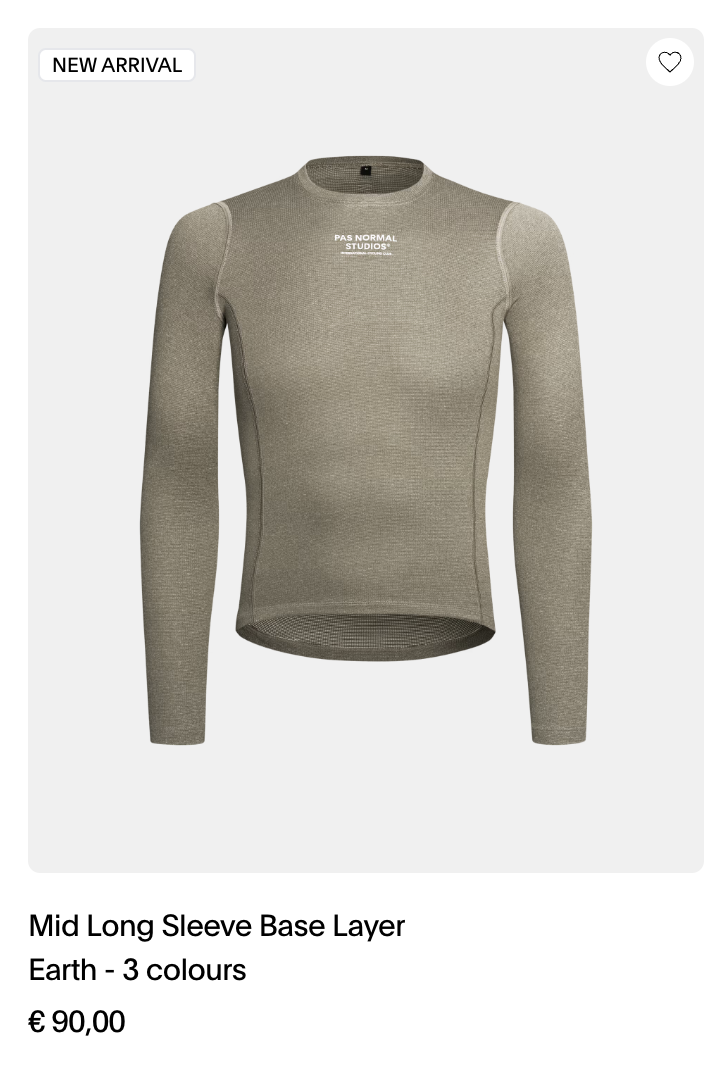
The other day I wore one of my new long sleeve uniqlo t-shirts on a ride and it was great. Comfortable fit, soft and warm fabric.
And 15€.

Strong recommend.